LiveWall plays your videos as the wallpaper behind your desktop icons — on one display, on every display in sync, or a different video on each. It rotates through a playlist and steps aside while you work.
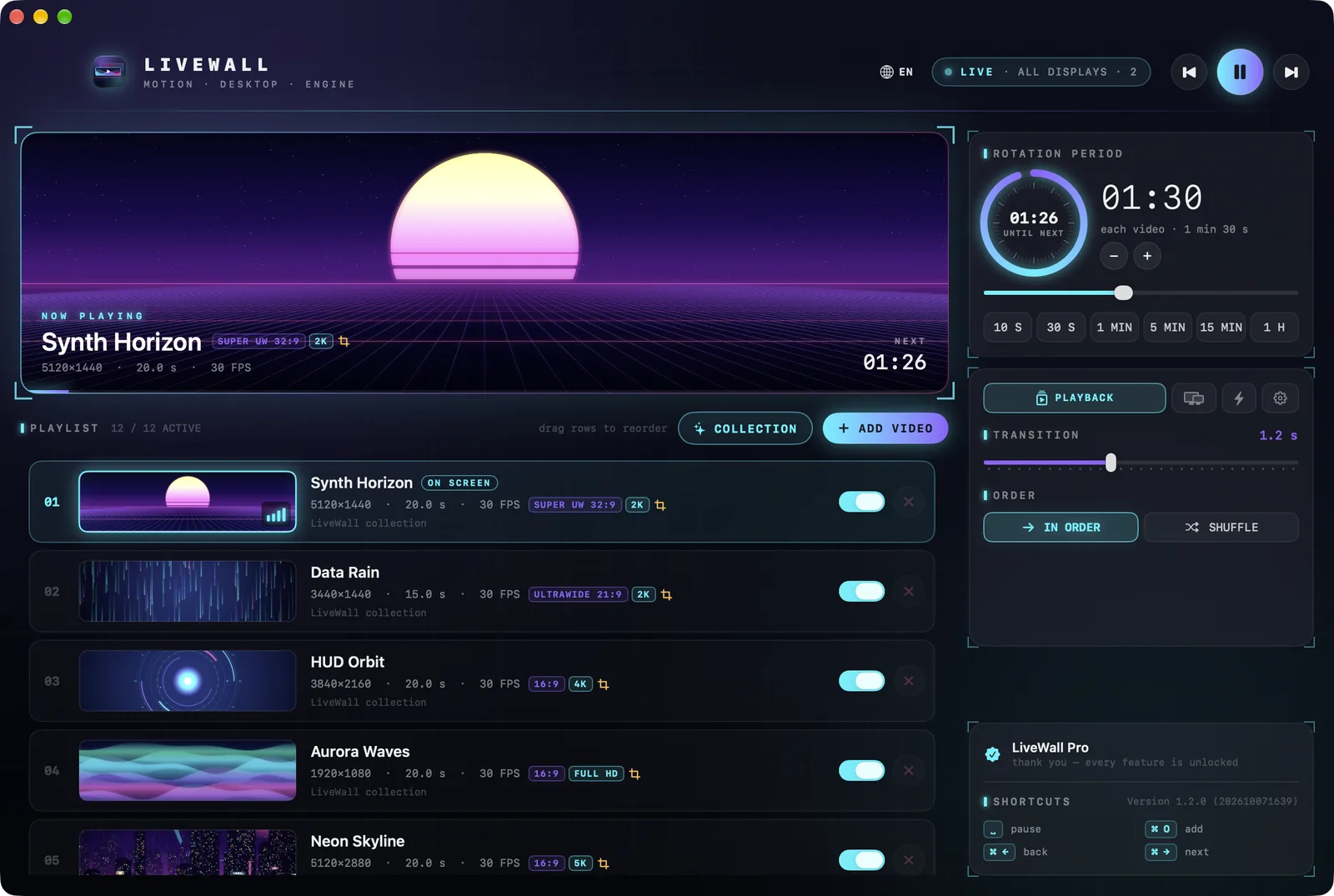
Drag in videos or whole folders — MP4, MOV and M4V. Reorder them by dragging, switch any of them out of the rotation without removing it, and see resolution, length and frame rate at a glance.
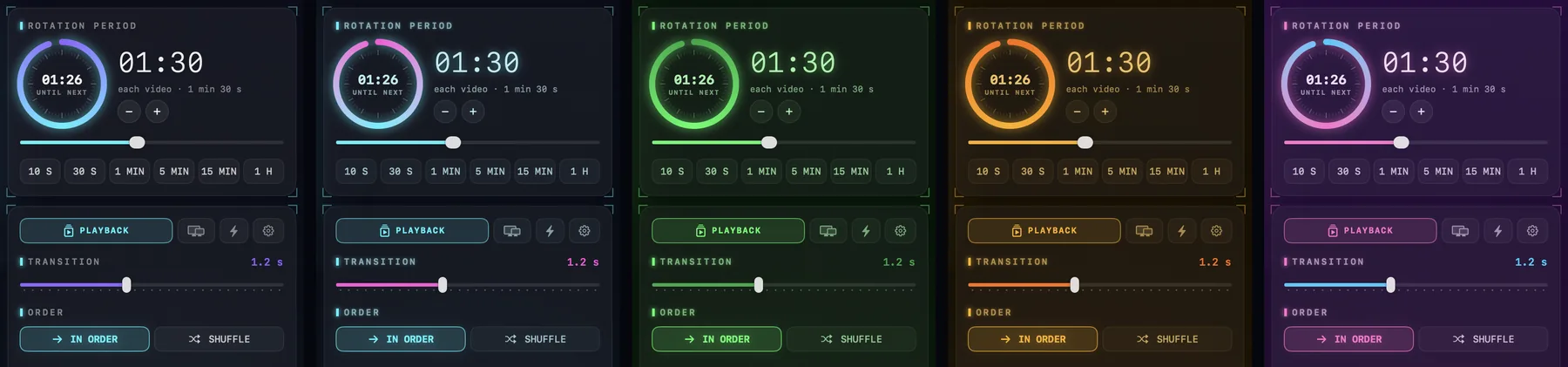
Choose how long each one stays, from 5 seconds to an hour, in order or shuffled, with a cross-fade of up to three seconds between them.
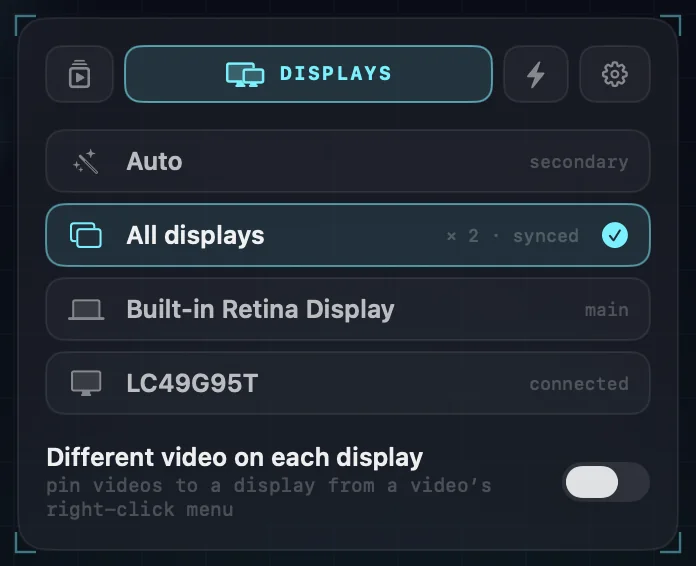
Auto puts the wallpaper on your second display. Pick any one display instead, or “All displays” — one video, decoded once, playing in sync on every screen.
Or give each display its own: turn on “Different video on each display” and pin videos to the screen they suit — the ultrawide loop to the ultrawide, the portrait one to the display turned on its side.
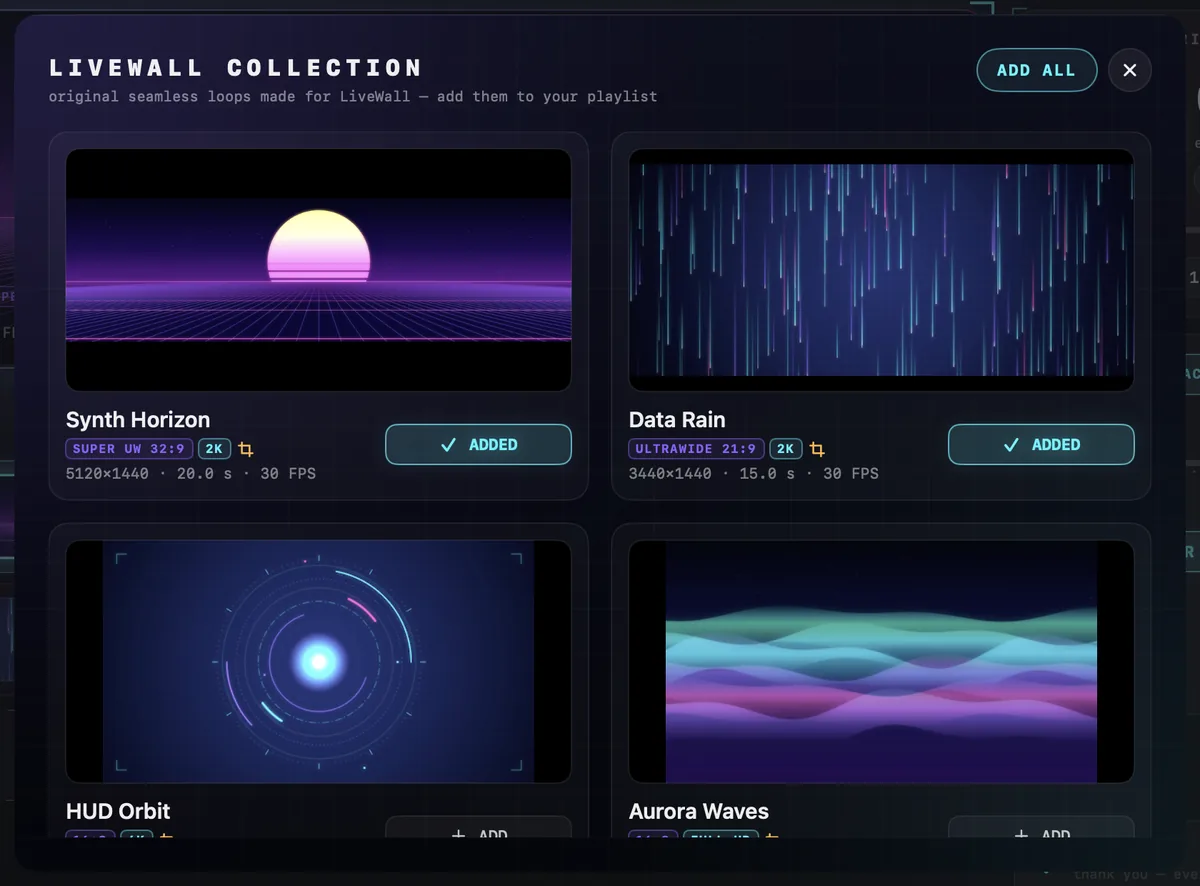
LiveWall comes with a collection of its own: twelve seamless loops, rendered for it, in the shapes desktops come in — 16:9 and 16:10, ultrawide 21:9 and 32:9, a MacBook Pro's own screen, and a portrait 9:16. Add one or all of them with the “Collection” button.
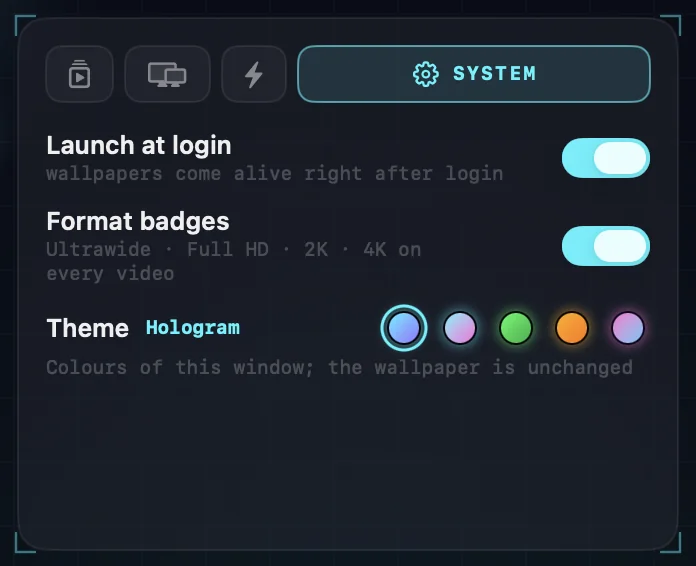
Every video wears a badge for its format — Ultrawide, Full HD, 2K, 4K — so you can see at a glance which one will look sharp on which display.
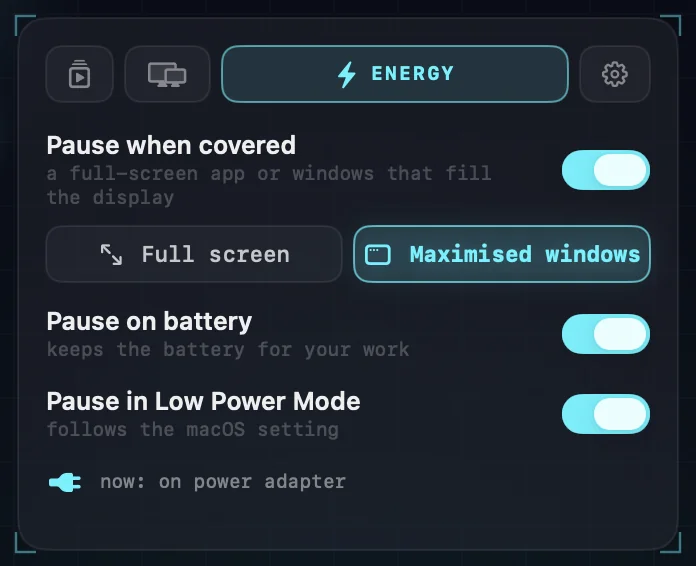
When a full-screen app — or, if you like, any window that fills the display — hides the wallpaper, that display stops playing. On battery and in Low Power Mode it can wait too.
The rotation waits along with it, so no video is skipped while it was out of sight. And when your displays sleep, LiveWall does too.
Hologram, Neon, Phosphor, Amber and Synthwave. A theme colours LiveWall's own window; the wallpaper stays exactly as you chose it.
Pause, skip, go back, jump to any video, or change the period, the display and the language straight from the menu bar. In the window, Space, ⌘←, ⌘→ and ⌘O do the same.
LiveWall starts at login, and closing its window leaves the wallpaper playing. It speaks fifteen languages, follows your system's, and lets you switch at any time.
LiveWall never connects to the internet. It reads only the videos you add, and only to play them. There is no sign-in, no telemetry, no crash reporting and no advertising.
The one purchase goes through the App Store, which tells LiveWall nothing about you. The privacy policy says it in full.
LiveWall is free on the Mac App Store. One purchase unlocks the rest — no subscription, and Family Sharing included.
up to 3 videos in rotation, one display
The collection, every theme, the energy settings, the menu bar and all fifteen languages are in the free version too.
Your whole playlist, on every display.
LiveWall is on its way to the Mac App Store. This page will carry the link the day it is approved.
Want to hear when that happens, or have a question first? support@mainlane.io.